> For the complete documentation index, see [llms.txt](https://help.littledata.io/llms.txt). Markdown versions of documentation pages are available by appending `.md` to page URLs; this page is available as [Markdown](https://help.littledata.io/event-editor/event-preview.md).
# Preview events
See exactly what Littledata will send to your destination after applying your field mappings.
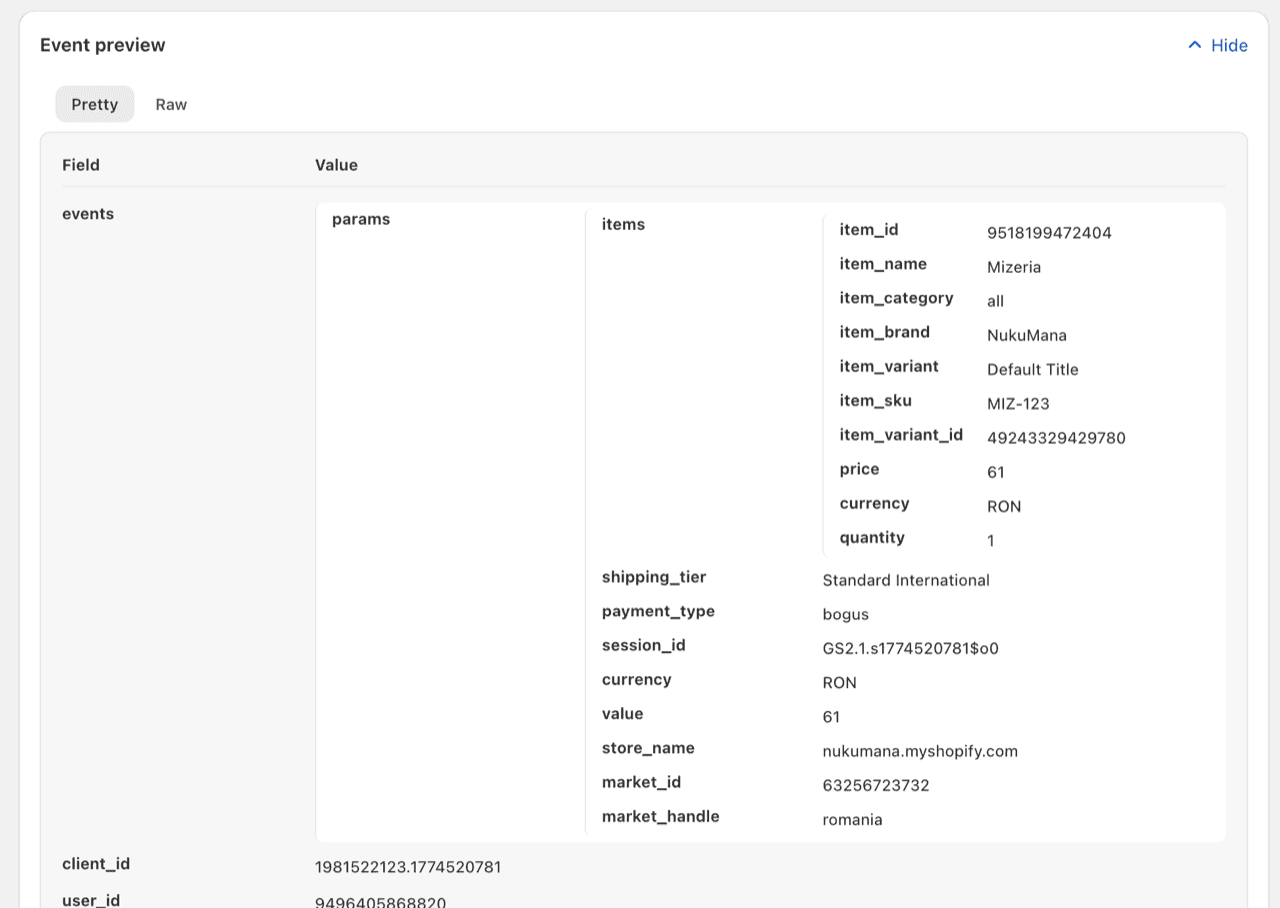
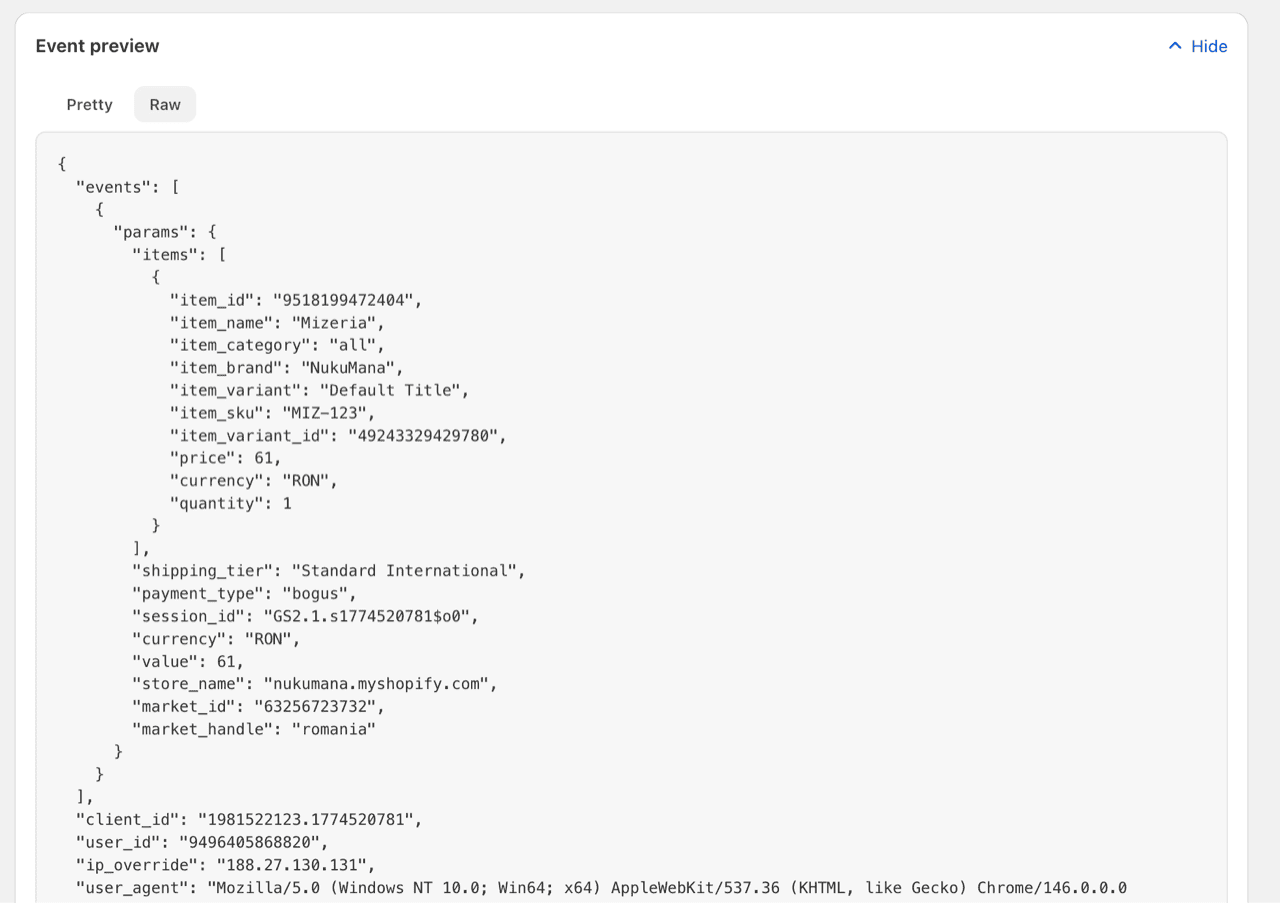
The event preview shows the exact payload Littledata will send to your destination, built from a real historical event from your shop. It reflects your current [field mappings](/event-editor/field-mappings.md) including unsaved changes, so you can verify a customization does what you intended before it touches production.
### Open the preview
{% stepper %}
{% step %}
#### Go to the Event Editor
Open the [Event Editor](/event-editor/getting-started.md) for the destination.
{% endstep %}
{% step %}
#### Edit the event
Click the **three-dot menu** on the event row and select **Edit**.
{% endstep %}
{% step %}
#### Go to Event preview
The preview loads a recent example of this event type from your shop, with all your mappings applied, saved or not.
{% endstep %}
{% endstepper %}
### Pretty and raw views
**Pretty** formats the payload for readability, best for scanning whether a field carries the value you expect.
**Raw** shows the exact JSON your destination will receive, best for checking structure, nesting, and exact key names.
### What to check
* **Your edited mappings return real values.** If a source path is wrong, you'll see it here as an empty or unexpected value instead of finding out in your destination's reports.
* **Custom parameters land under the right keys**, in the right section of the payload.
* **Metafields come through.** If you've mapped a [custom data source](/event-editor/custom-data-sources.md), confirm the value appears.
{% hint style="info" %}
The preview is built from a stored historical event, not a live one, so very recent changes on your store (like newly added metafield values) may not appear yet. [Trigger conditions](/event-editor/trigger-conditions.md) are also not evaluated in the preview: it shows what the payload will look like when the event is sent, not whether a given event would be sent.
{% endhint %}
### Related articles
* [Remap existing events](https://help.littledata.io/event-editor/field-mappings)
* [Filter events with trigger conditions](https://help.littledata.io/event-editor/trigger-conditions)
* [Edit an event](https://help.littledata.io/event-editor/edit-an-event)