> For the complete documentation index, see [llms.txt](https://help.littledata.io/llms.txt). Markdown versions of documentation pages are available by appending `.md` to page URLs; this page is available as [Markdown](https://help.littledata.io/event-editor/field-mappings.md).
# Remap existing events
Change how Littledata maps Shopify event data to the parameters the data destination expects.
Littledata already sends every event with optimized defaults for every destination, out of the box. These defaults work well for most stores. You can override the field mappings when they don't fit your setup. You can swap out the source of any editable mapping or add custom parameters on top.
{% hint style="info" %}
You can edit mappings on both standard and [custom events](/event-editor/custom-events.md). Client-side events can only be enabled or disabled, their mappings can't be edited.
{% endhint %}
{% hint style="warning" %}
If Shopify Markets is enabled in Littledata, customizations on a standard event are not market-specific. A change you make applies across all markets.
{% endhint %}
### What you can do with it
You can remap field mappings when the default one doesn't fit your setup:
* **Point a property at a different source.** The value the destination wants is in the payload, just not the field mapped by default. Swap the source so `transaction_id`, `item_id`, or any editable property reads from the field you want.
* **Send data your destination doesn't expect by default.** Add a custom parameter with a destination name you choose, and map it to any source field.
* **Route an exposed metafield to the right property.** Once a custom data source makes a metafield visible, map it into a standard property or a custom parameter here.
### Open the field mappings
{% stepper %}
{% step %}
#### Go to the Event Editor
Open the [Event Editor](/event-editor/getting-started.md) for the destination you want to customize.
{% endstep %}
{% step %}
#### Edit the event
Click the **three-dot menu** on the event row and select **Edit**.
{% endstep %}
{% step %}
#### Go to Field mappings
Open the **Field mappings** section of the editor.
{% endstep %}
{% endstepper %}
### How the layout works
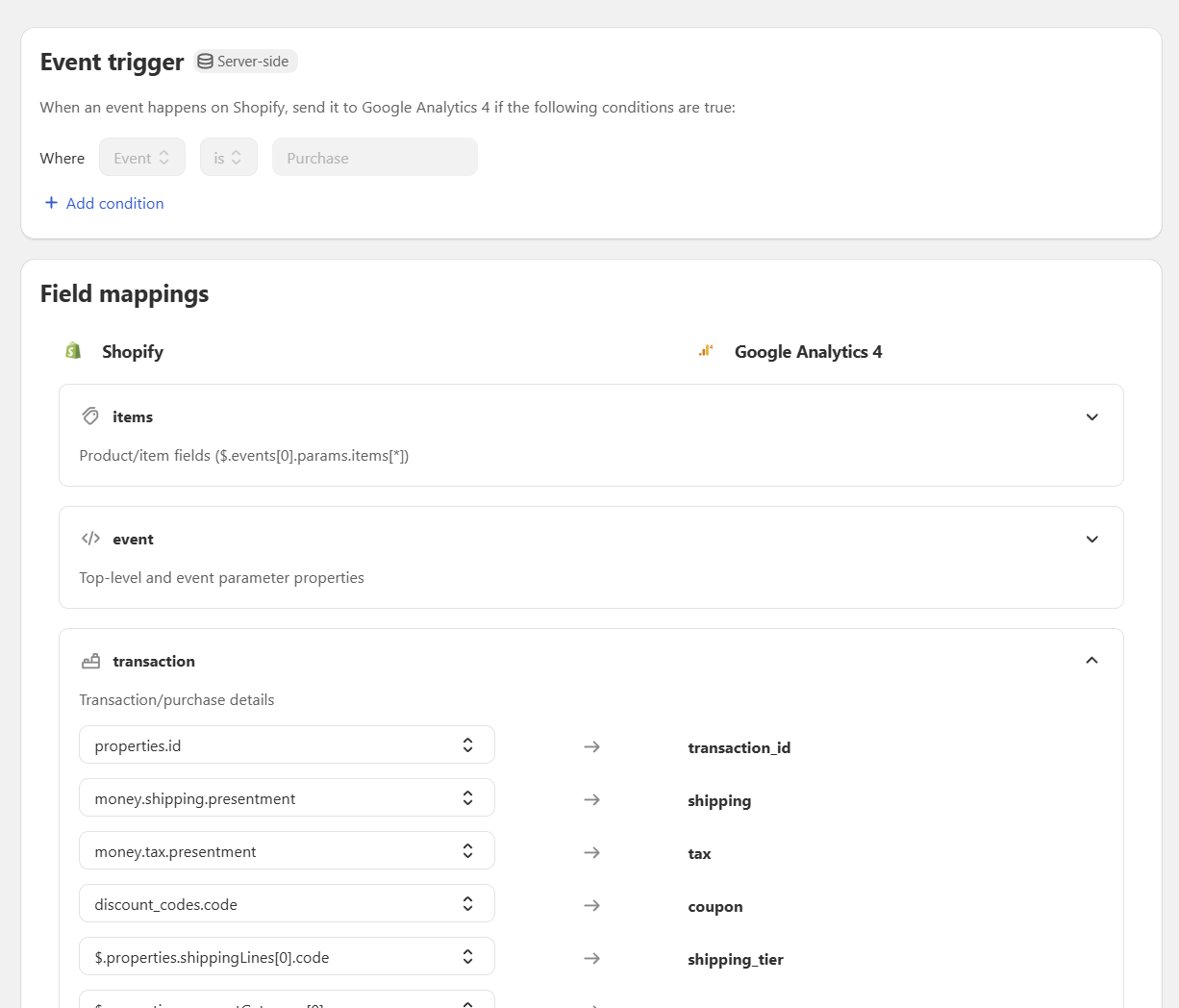
Mappings are grouped into sections matching the structure your destination expects. For a GA4 event you'll see sections like **items** or **transaction**: these are objects and arrays in the destination's format. You don't need to manage this structure yourself, Littledata maintains it out of the box so the event always arrives in the correct format. The **event** section is the root of the event, where its top-level properties live.
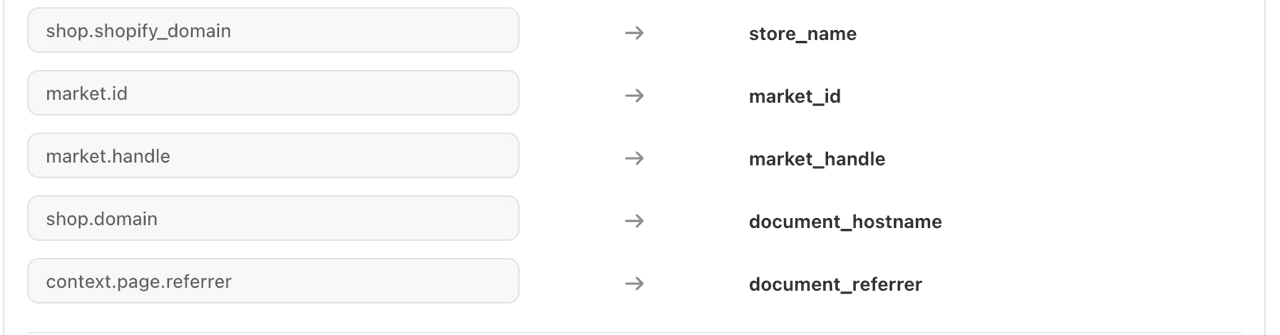
Each mapping reads left to right:
* On the **left** you select which value fills it, picked from Littledata's tracking schema. The [Tracking schema glossary](/event-editor/glossary.md) lists every field in the schema.
* On the **right** is the property name as the destination expects it, for example `item_id` for GA4.
### Picking a source field
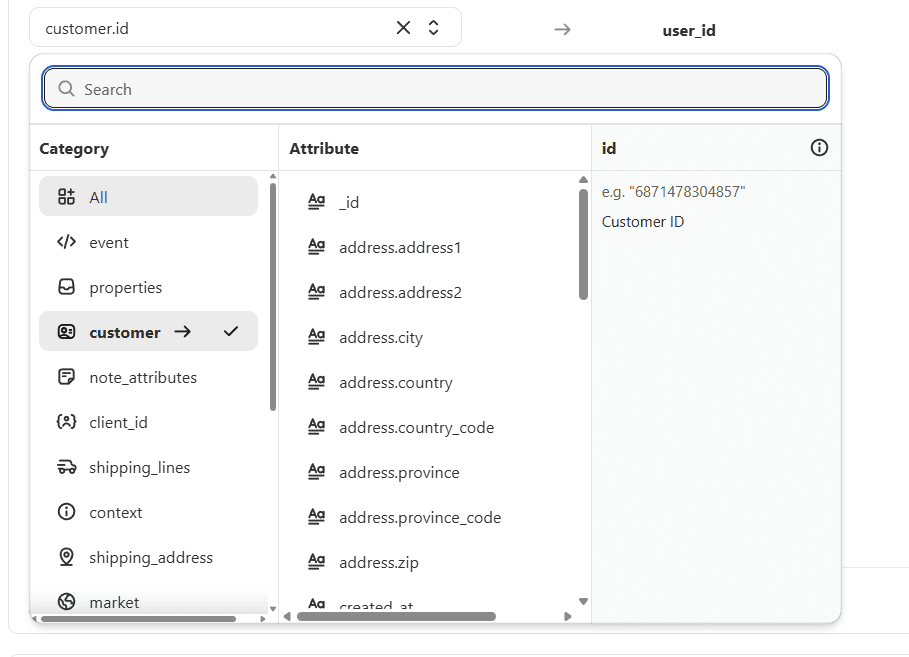
Clicking a source opens the schema dropdown, which has three panels:
* **Category**: groups of related fields, like `event`, `properties`, or `customer`. Pick a category to narrow down, or search across all of them.
* **Attribute**: every field in the selected category.
* **Details**: an example value and description of the selected attribute, so you can confirm it's the right field before mapping it.
Fields you've exposed through [Custom Data Sources](/event-editor/custom-data-sources.md) appear here too, under the category matching their type.
The list also includes fields seen on your store's recent events, such as order note attributes added by other apps (for example `__awin_channel` under `note_attributes`). A field appears once an event carrying it has been processed, so if one is missing, wait for the next event that includes it and reload the editor.
### Mapping types
Not every mapping can be changed, and that's deliberate: some fields are required by the destination in a fixed form.
#### Locked mappings
Required by the destination platform. Both the source and the destination are read-only.
#### Editable standard mappings
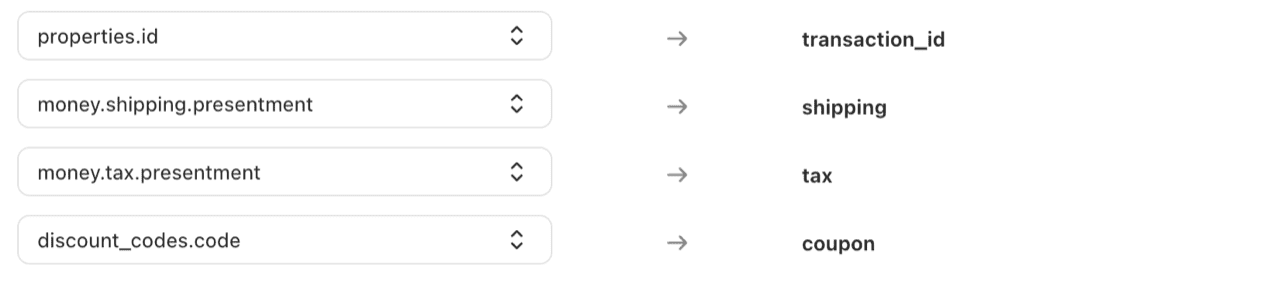
These use Littledata's defaults. You can change the source field, but the destination name stays fixed. For example, GA4 maps `properties.id` to `transaction_id` by default, and you could point `transaction_id` at a different source.
#### Custom values
Instead of picking a field from the schema, you can set any editable mapping or custom attribute to a fixed value. Open the source dropdown, type the value in the search box, and click **Use "your value" as custom value**. Every event then sends that exact value to the destination.
{% hint style="warning" %}
Whatever you type is sent as plain text. Typing a field path such as `$.properties.noteAttributes.__awin_channel` sends that text, not the field's value. To map a field, pick it from the list.
{% endhint %}
This is useful when the destination needs a value your Shopify data doesn't have. For example, you could send `currency` as `USD`, tag events with `source` set to `littledata`, or rename a [cloned event](https://github.com/littledata/helpcenter-content/tree/main/docs/event-editor/clone-events.md) by setting its event name to `NewSubscriber`.
#### Custom attributes
Fields you add outside the default schema. Click **Add custom attributes** in the section you want to extend (for GA4, the `transaction` section adds event parameters and the `items` section adds item parameters). Each one has a source dropdown and a destination name you choose yourself. The source can be a schema field or a custom value.
{% hint style="info" %}
Each section has its own custom attribute limit, shown on the badge next to **Add custom attributes** (for example `0/5`). The button disables when you reach it.
{% endhint %}
After saving, check the [event preview](/event-editor/event-preview.md) to see your mappings applied to a real payload.
### Related articles
* [Preview events](https://help.littledata.io/event-editor/event-preview)
* [Enrich events with outside data](https://help.littledata.io/event-editor/custom-data-sources)
* [Tracking schema glossary](https://help.littledata.io/event-editor/glossary)