> For the complete documentation index, see [llms.txt](https://help.littledata.io/llms.txt). Markdown versions of documentation pages are available by appending `.md` to page URLs; this page is available as [Markdown](https://help.littledata.io/event-editor/trigger-conditions.md).
# Filter events with trigger conditions
Use trigger conditions in the Littledata Event Editor to send an event only when its data matches the rules you set.
Set up rules for an event to be sent only on matching conditions.
By default, every enabled event fires on every matching interaction. You can use trigger conditions to control when an event is sent to its destination.
{% hint style="info" %}
Trigger conditions let you send an event only under specific conditions, for example high-value purchases, or to exclude test orders.
If you want to stop an event completely, you can [disable the event](https://help.littledata.io/event-editor/enable-disable-events) instead.
{% endhint %}
#### What you can do with it
Filtering events removes noise, so your analytics data is cleaner and ad platforms don't optimize their algorithms on the wrong signals.
* **Drop noise**: stop test orders, internal traffic, or QA checkouts from polluting your analytics.
* **Exclude a segment**: keep B2B or wholesale orders out of a consumer-facing ad platform.
* **Isolate a case**: only send renewal orders, or only first orders, to a destination that cares about one of them.
* **Gate by value**: only send orders above a revenue threshold to a high-value audience.
#### How a condition works
A trigger condition has three parts:
Part
Description
Example
Field
The payload data you're testing for, in dot notation
email, app.name
Operator
How you're comparing it
equals, contains
Value
What you're comparing against
test@example.com
Read left to right, a condition is a sentence: *send this event only when `email`* *`contains`* *`@littledata.io`*.
Conditions live inside **condition groups**. An event can have one group or several, and the group is what decides how its conditions combine. See Combine conditions below.
{% hint style="info" %}
Not sure what a field is called? The [Tracking schema glossary](https://help.littledata.io/event-editor/glossary) lists every field available in the schema.
{% endhint %}
#### Add trigger conditions
{% stepper %}
{% step %}
**Open the event editor**
In the destination's [Event Editor](https://help.littledata.io/event-editor/getting-started), open the **⋯** menu on the event and select **Edit**.
{% endstep %}
{% step %}
**Open the Event trigger section**
This is where the event's conditions live.
{% endstep %}
{% step %}
**Add a condition**
Select a field, choose an operator, and enter a value.
{% endstep %}
{% step %}
**Set the group to Any or All**
Click **Add condition** for each extra condition you want in the same group, then use the **Any / All** toggle to say how they combine.
{% endstep %}
{% step %}
**Add another group, if you need one**
Click **Add condition group**. Groups are combined with AND, so reach for a second group when one part of your rule is an OR.
{% endstep %}
{% step %}
**Save**
Click **Save event**. The event will now only be sent when the conditions match.
If you're creating a new custom event, click **Save** and choose **Save and enable** instead.
{% endstep %}
{% endstepper %}
#### Operators
The operators you can pick depend on the type of field.
For text fields:
| Operator | Description |
| --------------------- | --------------------------------------- |
| `equals` | Exact match |
| `does not equal` | Anything except an exact match |
| `contains` | Field includes the value as a substring |
| `does not contain` | Field doesn't include the value |
| `starts with` | Field begins with the value |
| `does not start with` | Field doesn't begin with the value |
| `ends with` | Field ends with the value |
| `does not end with` | Field doesn't end with the value |
For number fields:
| Operator | Description |
| ----------------------- | ------------------------------ |
| `equals` | Exact match |
| `does not equal` | Anything except an exact match |
| `greater than` | Strictly greater |
| `greater than or equal` | Greater than or equal to |
| `less than` | Strictly less |
| `less than or equal` | Less than or equal to |
Boolean fields support only `equals` and `does not equal`.
{% hint style="info" %}
Text values are case-sensitive, so type them exactly as they appear in Shopify.
{% endhint %}
#### Combine conditions
One condition covers simple cases. For anything more specific, you control the logic at two levels: inside a group, and between groups.
**Inside a group**, the **Any / All** toggle decides how its conditions combine:
* **All of the following conditions are true**: every condition in the group must match. Use it to narrow.\
Example: send the event only for subscription orders worth 100 or more.\
`money.total.shop` `greater than or equal` `100` and `properties.tags` `contains` `subscription`
* **Any of the following conditions are true**: one match is enough. Use it to widen.\
Example: send the event when the order is tagged either *wholesale* or *b2b*.\
`properties.tags` `contains` `wholesale` or `properties.tags` `contains` `b2b`
**Between groups**, the logic is always AND. Every group has to pass before the event is sent, and the order of the groups makes no difference.
That split is what lets you write an OR inside an AND: put the either/or part in its own **Any** group, and the rules that must always hold in an **All** group.
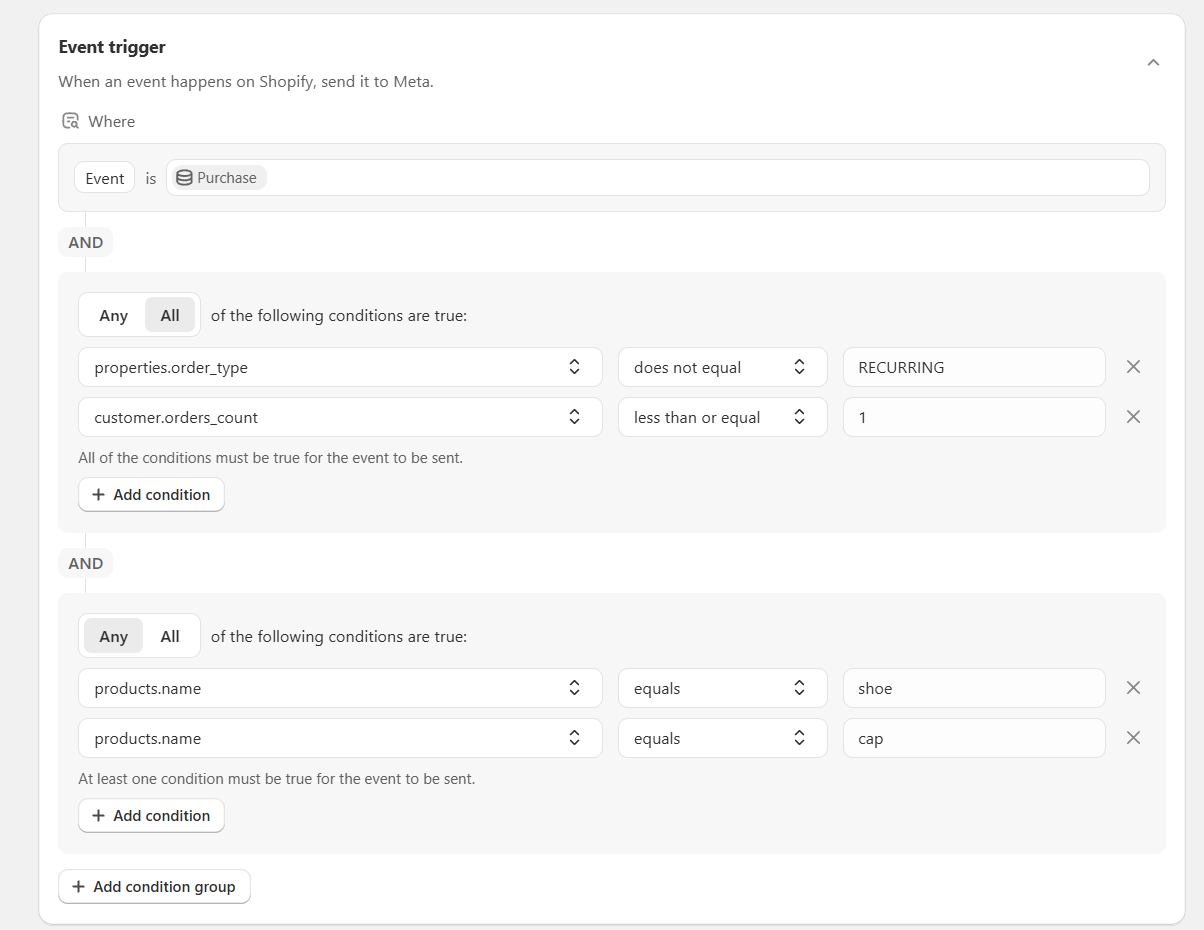
**Example: two groups**
Send a purchase only when it's a customer's first order, it isn't a renewal, and it contains one of two products.
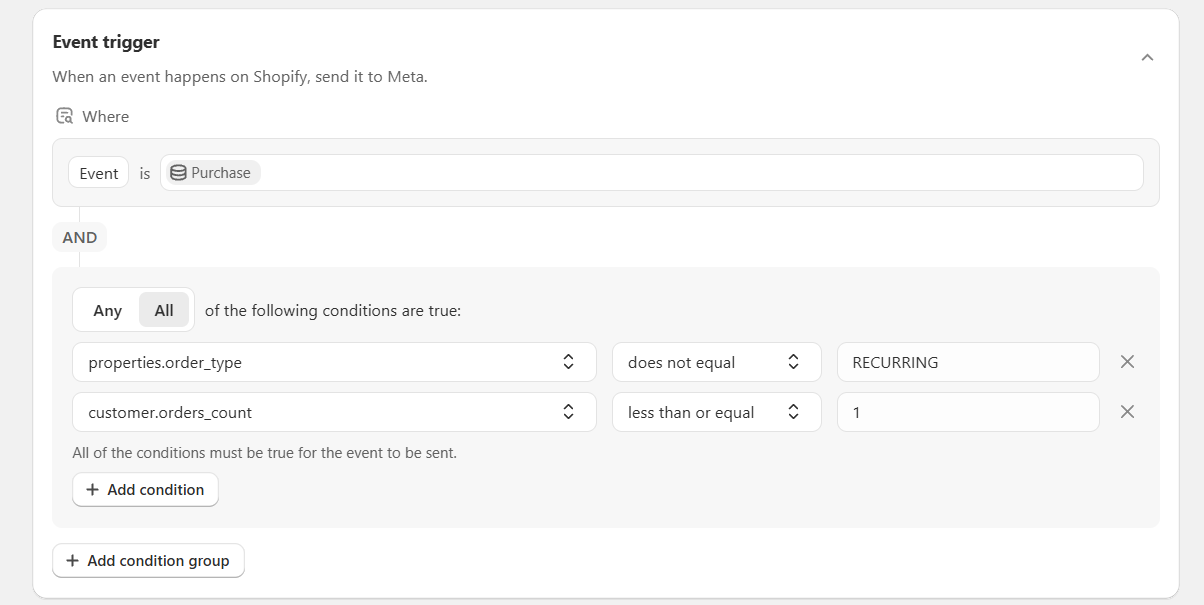
Group 1, set to **All**:
| Field | Operator | Value |
| ----------------------- | -------------------- | ----------- |
| `properties.order_type` | `does not equal` | `RECURRING` |
| `customer.orders_count` | `less than or equal` | `1` |
AND
Group 2, set to **Any**:
| Field | Operator | Value |
| --------------- | -------- | ------ |
| `products.name` | `equals` | `shoe` |
| `products.name` | `equals` | `cap` |
A returning customer buying a shoe fails group 1. A first-time customer buying a hat fails group 2. Neither order is sent. A first-time customer buying a cap passes both, so the event is sent.
{% hint style="info" %}
In an **All** group, one condition that never matches stops the whole event. If an event goes quiet after an edit, that's the first thing to check.
{% endhint %}
#### Related articles
* [Enable or disable events](https://help.littledata.io/event-editor/enable-disable-events)
* [Tracking schema glossary](https://help.littledata.io/event-editor/glossary)
* [Common setups](https://help.littledata.io/event-editor/common-setups)