> For the complete documentation index, see [llms.txt](https://help.littledata.io/llms.txt). Markdown versions of documentation pages are available by appending `.md` to page URLs; this page is available as [Markdown](https://help.littledata.io/get-started/how-to-set-up-littledata.md).
# Install Littledata on your Shopify store
This guide covers how to install Littledata on your Shopify store and enable the tracking script. Once set up, Littledata automatically captures storefront activity and sends it to your connected destinations.
{% stepper %}
{% step %}
**Install from the Shopify App Store**
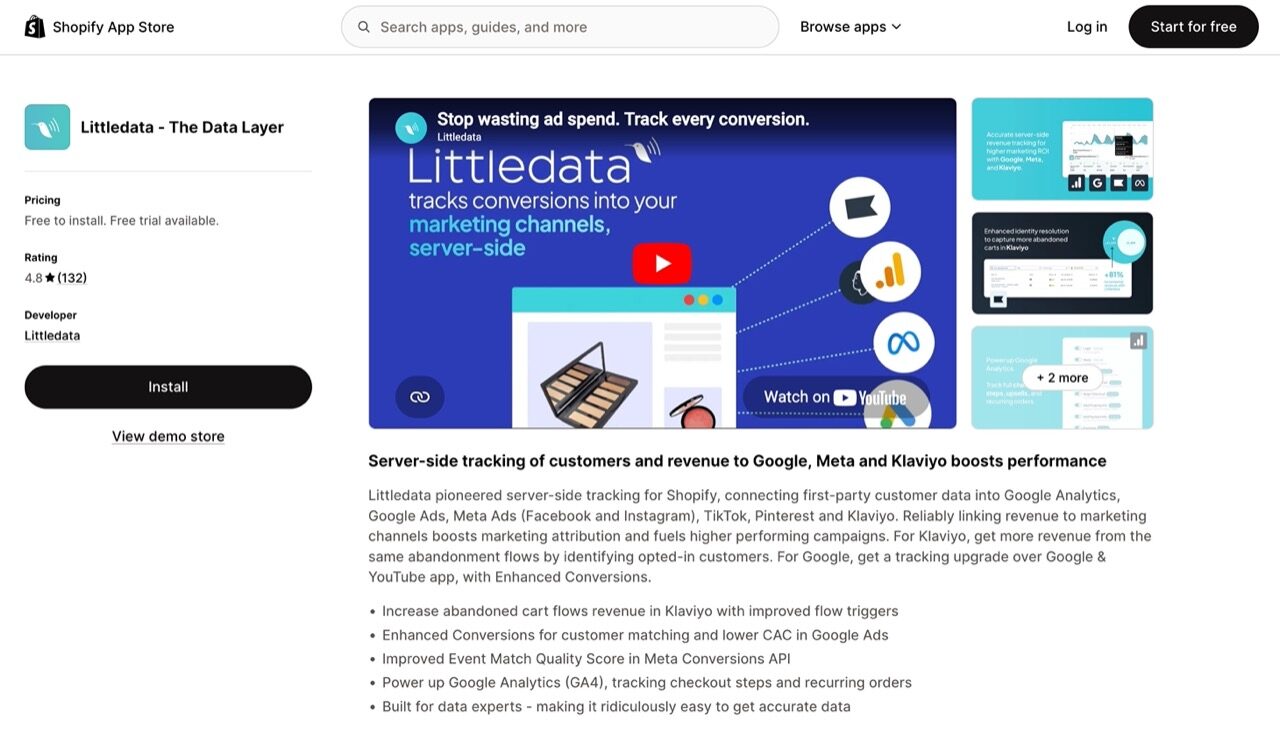
Visit the [Littledata listing on the Shopify App Store](https://apps.shopify.com/littledata) and click **Install**.
You will be redirected to the app install page in your Shopify admin. Review the permissions and click **Install**.
{% endstep %}
{% step %}
**Choose a pricing plan**
After installing, you'll be prompted to select a pricing plan. Pick the plan that best fits your store's needs.
{% hint style="info" %}
Need help deciding? See our guide on [choosing a plan](/accounts-and-billing/choosing-a-plan.md) for a detailed comparison of available plans.
{% endhint %}
{% endstep %}
{% step %}
**Connect your store**
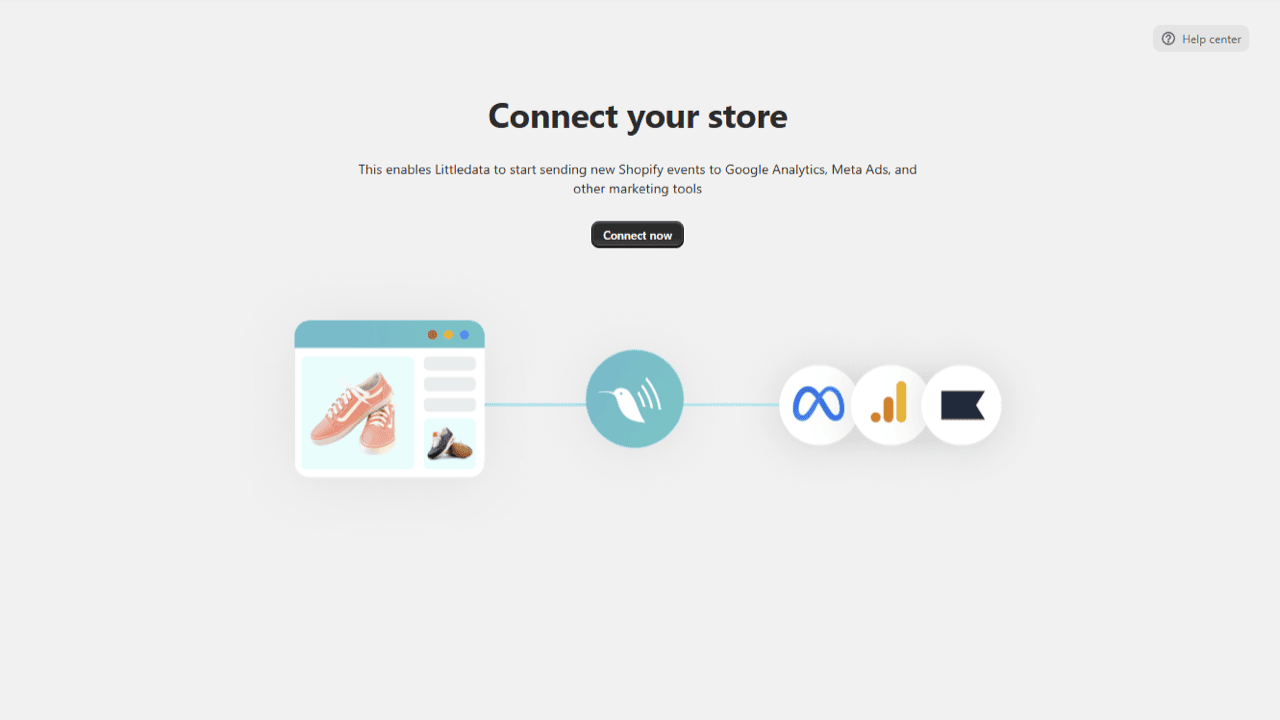
After selecting your plan, you will be prompted to connect your Shopify store. Click **Connect now** to get started.
{% endstep %}
{% step %}
**Enable the Littledata tracking script**
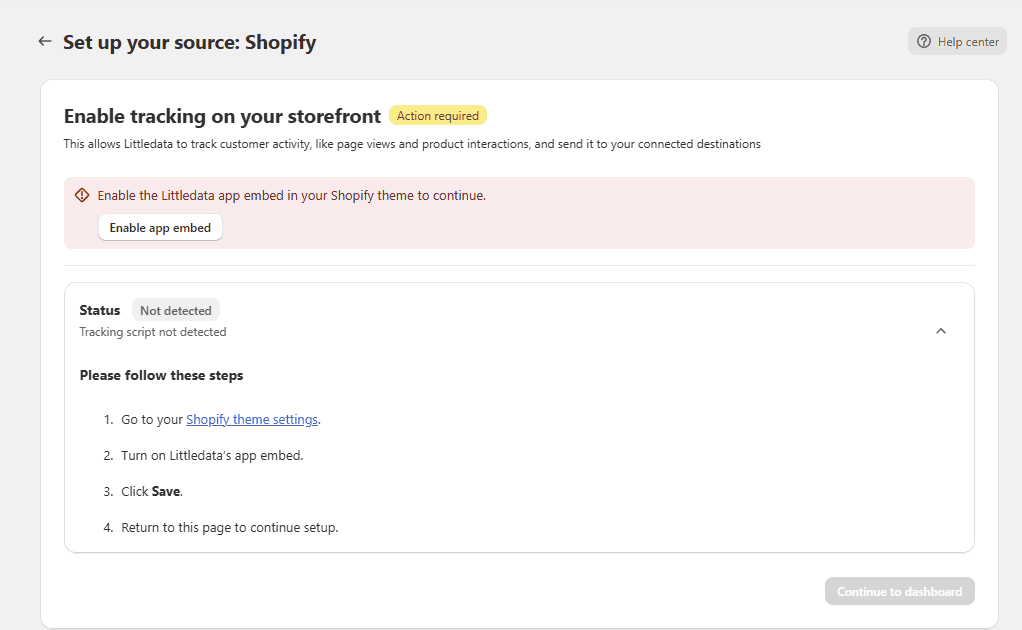
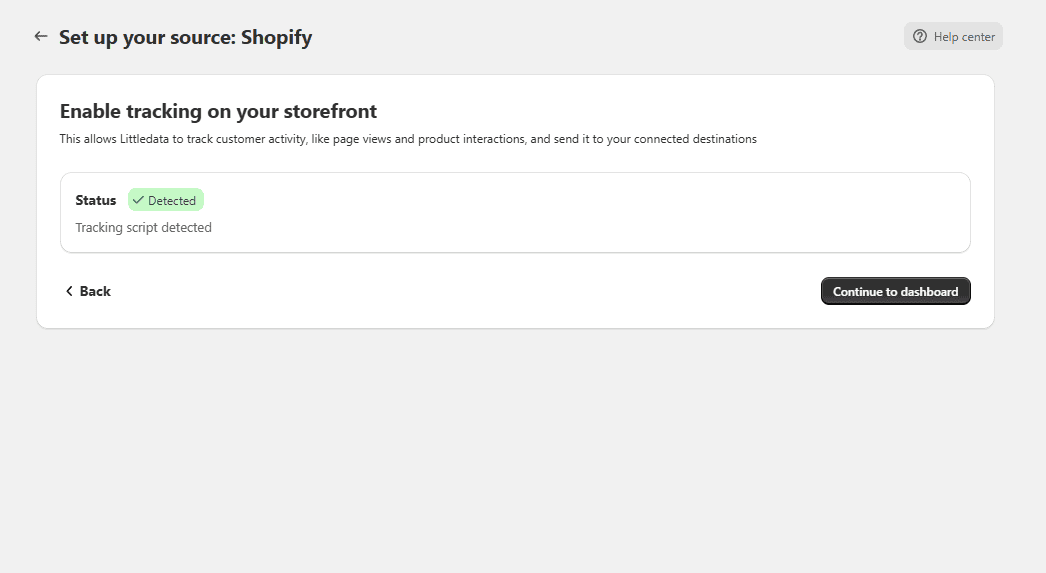
This is a critical step. On the **Set up your source: Shopify** screen, you will see that the tracking script status is **Not detected**. Click **Enable app embed** to proceed.
{% endstep %}
{% step %}
**Save the app embed in Shopify**
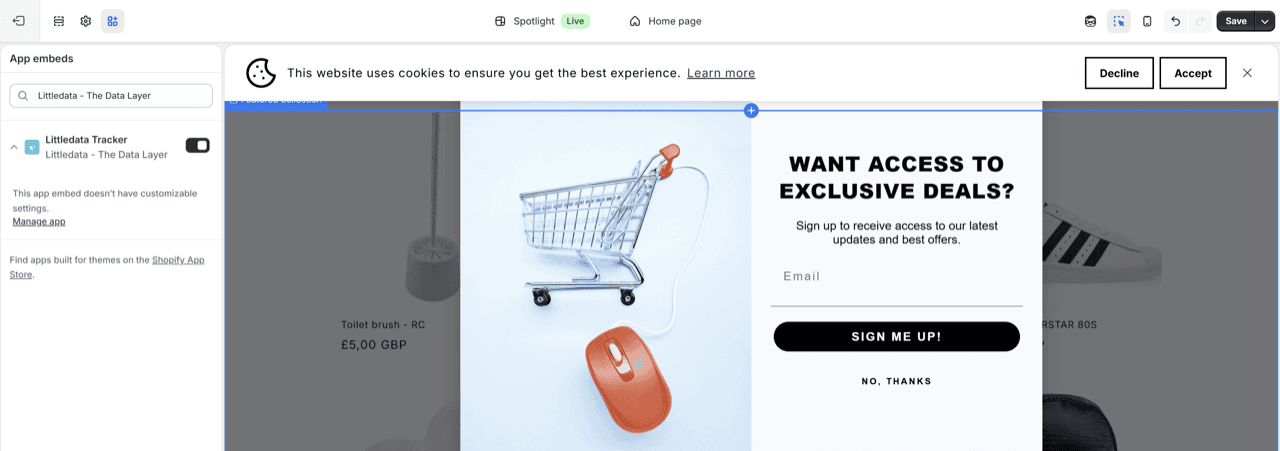
You will be redirected to the Shopify Theme editor. The **Littledata Tracker** app embed will already be enabled in the left sidebar. All you need to do is click **Save** in the upper right corner of your screen.
{% endstep %}
{% step %}
**Go back to Littledata**
Head back to the Littledata app. The tracking script will now show a **Detected** status. Click **Continue to dashboard** to move on.
{% endstep %}
{% step %}
**You're all set!**
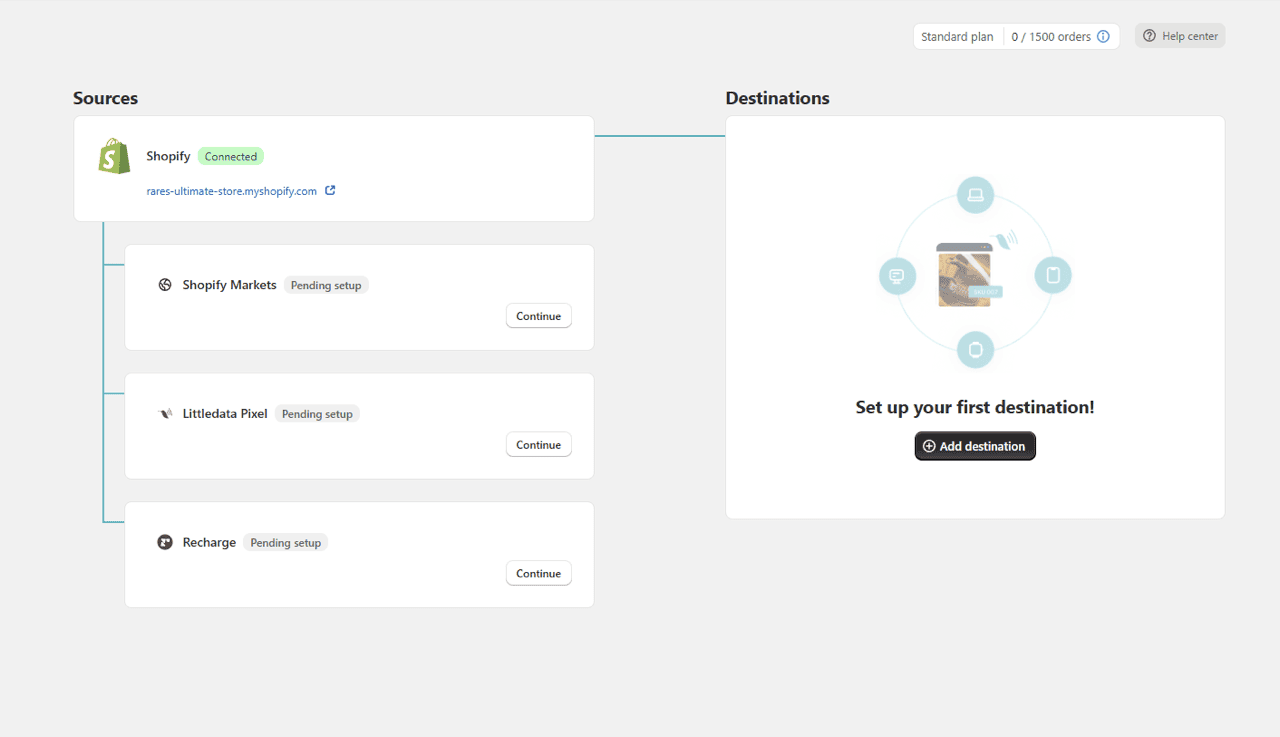
You will land on the Littledata dashboard where your Shopify store is connected and ready to go. From here you can set up your desired data destinations (Google Analytics, Meta Ads, Klaviyo, and more) by clicking **Add destination**.
{% endstep %}
{% endstepper %}
{% columns %}
{% column %}
**Next steps**
Now that your Shopify store is connected, set up your first data destination.
Connect your store to Google Analytics, Meta Ads, Klaviyo, and more. Most destinations take under 10 minutes to set up.
{% endcolumn %}
{% column %}
{% endcolumn %}
{% endcolumns %}