> For the complete documentation index, see [llms.txt](https://help.littledata.io/llms.txt). Markdown versions of documentation pages are available by appending `.md` to page URLs; this page is available as [Markdown](https://help.littledata.io/integrations/shopify-to-segment/customer-metafields-as-userid-for-segment.md).
# How to use a customer metafield as the Segment userId
How to use a Shopify customer metafield as the userId in server-side events Littledata sends to Segment.
You can tell Littledata to use a Shopify customer metafield as the `userId` in events sent to Segment. This page explains when that helps and how to set it up.
### Why use a customer metafield?
A customer metafield is useful if you identify your customers with your own ID, not the Shopify customer ID. For example, you might use a single sign-on (SSO) system that gives each customer the same ID across several apps or sites.
### How to set it up
{% stepper %}
{% step %}
**Create the customer metafield definition in Shopify**
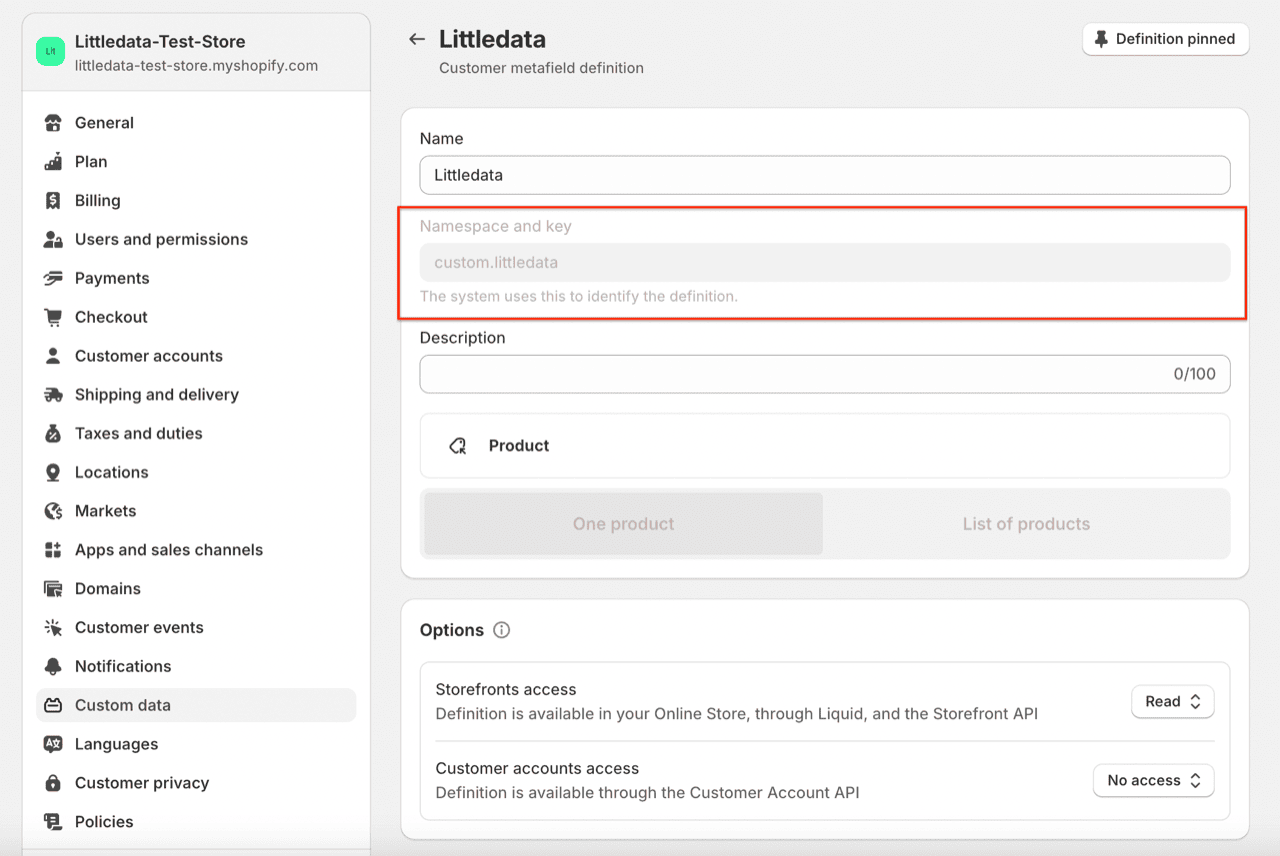
In your Shopify admin, go to **Settings** > **Custom data** > **Customers** and add a metafield definition, for example a **Single line text** field. Note its namespace and key, shown as `namespace.key`.
{% endstep %}
{% step %}
**Add a value for each customer**
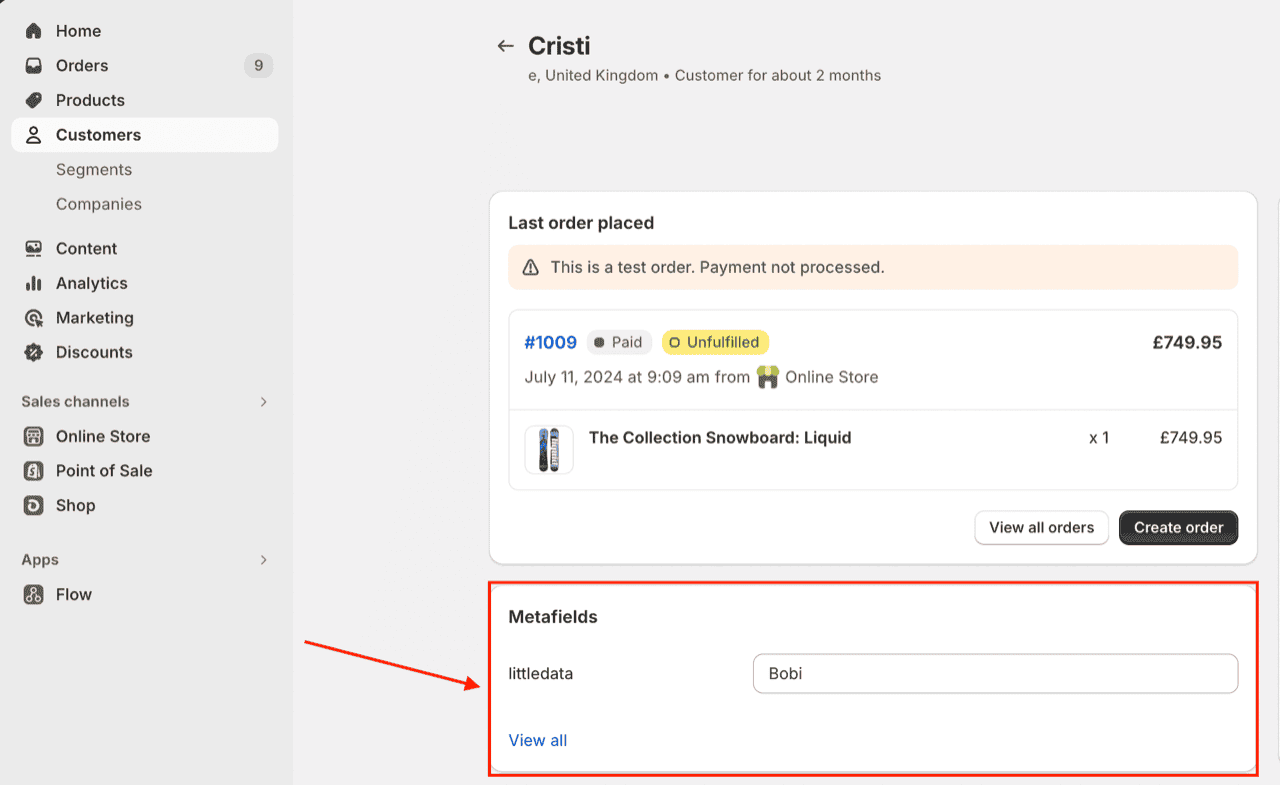
Open each customer profile you want to link, and enter their ID in the metafield.
{% endstep %}
{% step %}
**Open your Segment settings**
Open the Littledata app from your Shopify admin. Find your Segment destination, click the **⋯** menu on its card and choose **Settings**.
{% endstep %}
{% step %}
**Open Tracking customisation**
Open the **Tracking customisation** tab and find the **User ID** setting.
{% endstep %}
{% step %}
**Choose Customer metafield**
Select **Customer metafield**. In the field that appears, enter the namespace and key of your metafield definition, for example `custom.littledata`.
{% endstep %}
{% step %}
**Save**
Click **Save**.
{% endstep %}
{% endstepper %}
### What gets sent to Segment
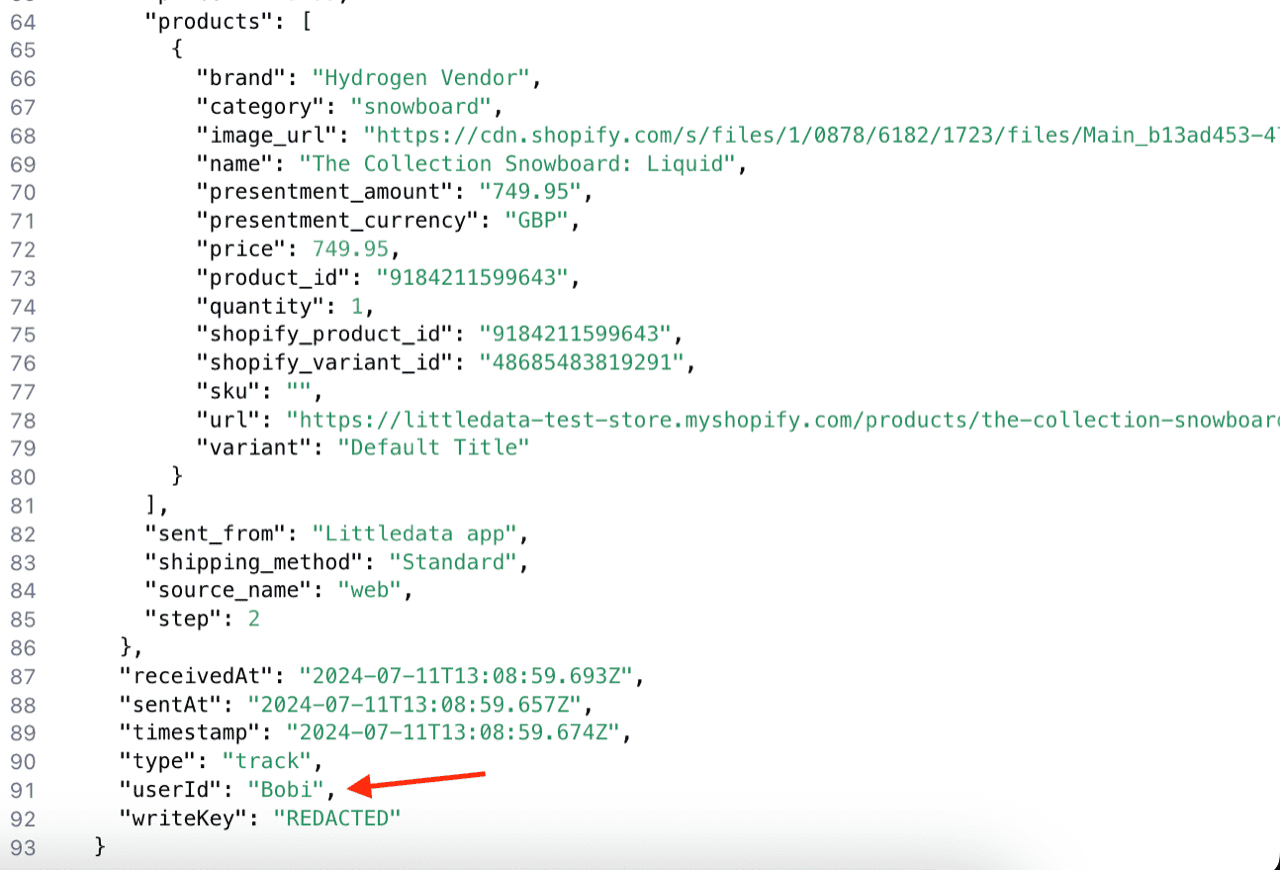
After you save, server-side events sent by Littledata use the value of the customer's metafield as the `userId`. You can check this in your Segment source debugger:
{% hint style="info" %}
Client-side events don't include a `userId` with this setting, because customer metafields can't be read from the web page.
{% endhint %}
Littledata reads the metafield value from Shopify and saves it for that customer. It then reuses the saved value for that customer's later events.
### Troubleshooting
My server-side events have no userId
Littledata only sends a `userId` when it finds a value for the metafield. If the metafield definition doesn't exist in Shopify, the namespace and key in the Littledata app don't match it, or the customer has no value in it, server-side events are sent with no `userId`. Littledata does not fall back to the Shopify customer ID.
Check that the namespace and key in the Littledata app match the definition in Shopify exactly, and that the customer profile has a value.
### Related articles
* [How it works: Shopify source for Segment](https://help.littledata.io/integrations/shopify-to-segment/how-it-works)
* [Segment](https://help.littledata.io/integrations/shopify-to-segment)